Kogama Parkour Challenge
About
Kogama Parkour Challenge offers a polished 3D platforming experience that is both accessible and engaging. The two difficulty levels let players of all skill levels find a comfortable challenge. The ability to invite friends adds a social layer that makes it more fun. The controls are responsive, and the checkpoints reduce frustration. It is a solid choice for anyone looking for a free, non-violent game that tests timing and coordination.
Game Introduction
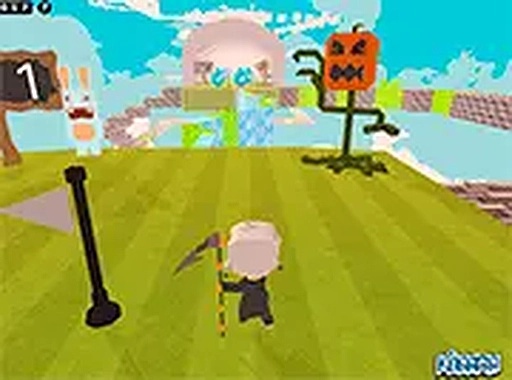
Kogama Parkour Challenge is a browser-based 3D platformer that invites players to guide a character through a series of obstacle courses. The main goal is to reach the finish line without falling, using precise jumps and careful timing. What sets this game apart is the inclusion of two difficulty levels—medium and hard—so players can select the challenge that suits their comfort and skill. The colorful, inviting world and straightforward controls make it accessible for all ages, while the increasing complexity keeps the experience fresh. This title is part of the well-known Kogama series, which is recognized for its creative and social gameplay. The game runs smoothly on most desktop computers and requires no installation or account creation, making it easy to start playing immediately.
How to Play
Players control their character using a keyboard and mouse on a desktop computer. Movement is typically managed with arrow keys or WASD, while the spacebar is used for jumping. The mouse allows you to look around the environment, helping you plan your route and spot obstacles. The goal is to reach the end of each course without falling. In medium difficulty, obstacles are spaced with more room for error, while hard difficulty introduces tighter jumps and moving blocks. If you fall, you restart from the last checkpoint. Players can also invite friends to join the same course via a shareable link, adding a social or competitive element.
Game Features
Colorful 3D graphics create an inviting visual world. Two difficulty levels offer a gradual challenge curve. Multiplayer mode allows you to play with friends in the same course. Simple keyboard and mouse controls are easy to learn. Free browser-based play requires no installation or account creation. Checkpoints save your progress within each level. The game runs smoothly on most desktop computers. These features make it a family-friendly activity that promotes hand-eye coordination and problem-solving without any violent or inappropriate content.
Tips for Success
Practice each level to learn the timing and improve your success rate. Start with medium difficulty to build confidence before attempting hard mode. Use the mouse to look around and plan your jumps ahead of time. Focus on precise, not rushed, movements—especially on narrow platforms. If playing with friends, communicate or watch each other's routes to learn new strategies. Take breaks if you get frustrated, as patience is key in skill-based games. Finally, remember that falling is part of the learning process; each attempt helps you improve.