

Cyber Sphere 3D Arcade
Opens in a play window — no download required.
Reviews
Cyber Sphere 3D Arcade keeps its scope tight: steer a forward-moving ball with the mouse, jump with the spacebar, and survive each stage's obstacles. The tutorial and three numbered stages give the game a clear structure, and full screen mode helps you see what is coming. The main limitation is that everything depends on reflex and timing, so players who want variety or a slower pace may find it repetitive. It works best as a short-session desktop distraction.
Description
Steering a Self-Propelled Sphere
In Cyber Sphere 3D Arcade, the ball rolls forward on its own. Your only job is to keep it on the course. Mouse movement shifts the ball left and right; the spacebar makes it jump. That two-input setup keeps the learning curve shallow, but the timing demand is real. A barrier that looks clearable from a distance may require a jump a fraction of a second before you think. The tutorial stage exists for exactly this reason: it teaches the relationship between cursor position, jump timing, and the ball's forward momentum before the first real stage begins.
Stage Progression and Obstacle Design
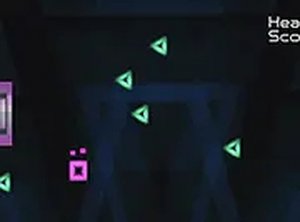
After the tutorial, stages 1, 2, and 3 follow in sequence. Each one introduces obstacles that were not present before. Because the ball never stops moving, every new obstacle type forces you to adjust your reaction rather than pause and plan. Falling off the course or hitting a barrier ends the attempt. The stages are not long, but the difficulty curve is deliberate: early obstacles give you room to recover, later ones punish hesitation. [IMG_1]
Desktop Controls and Full Screen
The game is built for desktop computers with a keyboard and mouse. That is not a limitation to work around; it is the control scheme the game assumes. Mouse steering is smooth and responsive, and the spacebar jump is a single, unambiguous input. Full screen mode removes browser clutter and gives you a wider view of the course ahead, which matters when obstacles appear quickly. No downloads or installations are required, and the game runs free in your browser.
Who This Suits
Cyber Sphere 3D Arcade fits players who want a short-session arcade challenge with simple inputs and escalating difficulty. It does not ask for story investment or complex systems. What it asks for is focus and a willingness to replay a stage until the timing clicks. If you prefer games where you can pause and think, this one will feel restrictive. If you like reflex-driven obstacle courses that reward practice, the three-stage structure gives you a clear path to follow.
✅ Compatibility & Testing
FAQ
Comments
Sign in to leave a note
You must be logged in before posting a review or rating.
No comments yet. Be the first to comment!



Editorial Notes