
Platter Grab Challenge
Opens in a play window — no download required.
Reviews
Platter Grab Challenge works best as a quick local multiplayer game. The spinning platter changes speed and direction, so grabbing food never feels entirely automatic. Special tokens that add or subtract points create small but meaningful decisions. The adaptive CPU opponent keeps solo play from becoming stale, and local two-player mode encourages friendly competition. The cartoon visuals and simple controls suit family play. The main limitation is the lack of online multiplayer, which means the game depends on having someone nearby to play with.
Description
The Spinning Platter Mechanic
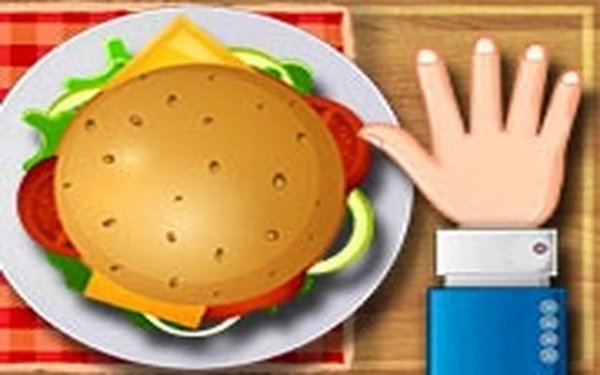
At the center of Platter Grab Challenge is a rotating platter carrying various food items. Your job is simple: grab items as they pass by before your opponent does. What keeps it interesting is that the platter's speed and direction can change mid-round, so timing is never predictable. A counter tracks how many items each player has collected, and the first to reach the target number wins. The rules take seconds to learn, but the shifting rotation means you can't rely on muscle memory alone.
Tokens and Risk Decisions
Not every item on the platter is worth the same. Special tokens appear randomly and can either add to or subtract from your score. That turns each grab into a quick judgment call: chase a high-value token and risk missing it, or play it safe with a regular food item. You also need to keep an eye on your opponent's counter, because falling too far behind forces you to take bigger risks. This mix of speed and decision-making gives the game more depth than the simple premise suggests.
Playing Against the Computer or a Friend
Platter Grab Challenge offers two ways to compete. In single-player, a computer-controlled opponent adjusts its speed based on how well you're doing, so the challenge stays consistent rather than becoming too easy or too punishing. In local two-player mode, both participants share one screen and use separate controls. There is no online multiplayer; the focus is entirely on face-to-face play, which suits quick sessions at home.
Controls, Visuals, and Accessibility
On touchscreens, you tap the food item you want to collect. On computers, each player uses assigned keyboard keys. The controls are responsive and require minimal precision, which reduces fatigue during longer sessions. The interface shows clear indicators for scores and remaining targets, so you always know where you stand. Visually, the game uses bright colors and simple shapes, with food drawn in a stylized, cartoon-like way. Upbeat background music and clear sound effects for successful grabs or misses round out a clean, uncluttered presentation that works for players of all ages.
Compatibility
FAQ
Comments
Sign in to leave a note
You must be logged in before posting a review or rating.
No comments yet. Be the first to comment!



Editorial Notes