
Freeway Off-Road Vehicle Run
Opens in a play window — no download required.
Reviews
Freeway Off-Road Vehicle Run strips driving down to its most immediate decision: which lane to take and when to move. The absence of acceleration or braking keeps controls simple, but traffic that grows denser and more varied prevents the game from feeling shallow. Time, Endless, and Fuel modes each reframe the same mechanic around a different pressure—clock, survival, or resource collection. The three vehicle models and four backdrops are cosmetic, so players looking for mechanical depth or progression systems may find the scope limited. It suits short sessions and players who enjoy reflex-based arcade challenges in a browser.
Description
Traffic Weaving on the Highway
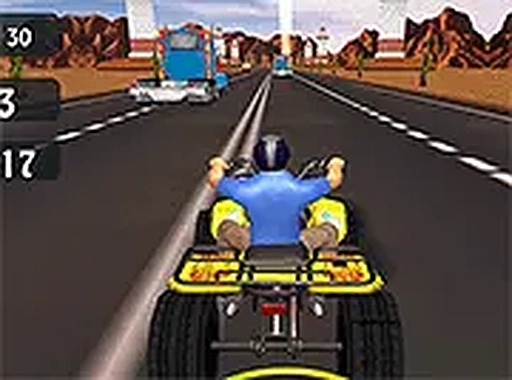
The core task in Freeway Off-Road Vehicle Run is straightforward: keep a sturdy off-road vehicle moving through dense multi-lane traffic without hitting anything. You steer left and right with the arrow keys or WASD, scanning for gaps as cars, trucks, and other obstacles appear more frequently and at varying speeds. The challenge comes from reading traffic patterns early and committing to a lane before the space closes. Quick reflexes matter, but so does patience—forcing a gap usually ends the run.
Three Modes, Three Skill Sets
Time mode puts a countdown clock on the screen and asks you to cover as much distance as possible before it hits zero. Endless mode removes the timer but ends the moment you collide, with your final distance as the score. Fuel mode adds a resource layer: canisters scattered across the road must be collected to keep the engine running. Each mode shifts the priority—speed in Time, survival in Endless, and route planning in Fuel.
Vehicle Choice and Visual Variety
Three off-road vehicle models are available, each with a distinct look. Handling stays consistent across all three, so the choice is purely cosmetic—a way to personalize your ride without changing how the game plays. Four environmental backdrops, from sunlit highways to rain-slicked roads, alter the visual atmosphere between sessions. These settings do not affect traffic density or vehicle performance, so they function as presentation rather than difficulty modifiers.
Browser Access and Controls
The game runs in desktop browsers with no download or installation. Full-screen support removes browser distractions, which helps when traffic gets tight. Controls are limited to left and right steering, making the game easy to start but still demanding at higher traffic densities. There are no hidden costs or paywalls.
Compatibility
FAQ
Comments
Sign in to leave a note
You must be logged in before posting a review or rating.
No comments yet. Be the first to comment!







Editorial Notes