
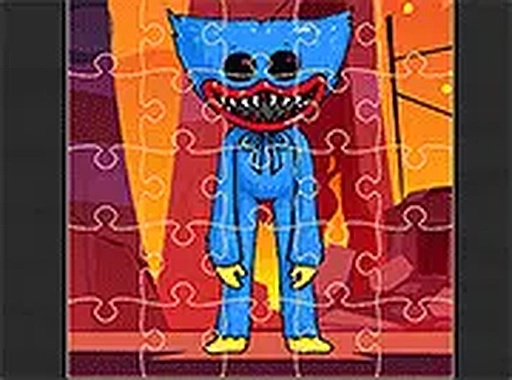
Friendly Character Jigsaw Challenge
Opens in a play window — no download required.
Reviews
Friendly Character Jigsaw Challenge offers a straightforward yet engaging puzzle experience. The three difficulty modes for each picture let you control the challenge, while the currency-based progression gives a clear goal. Controls are smooth on both desktop and mobile. The lack of time pressure makes it ideal for relaxation. A solid choice for casual puzzle enthusiasts.
Description
Puzzle Assembly Basics
This game centers on the classic jigsaw puzzle format. Players receive a set of scattered pieces and must drag each one into its correct position on the board. The interface is clean and straightforward, with all pieces displayed in a side panel for easy access. There is no time pressure, allowing you to work at your own pace. The game provides immediate visual feedback as pieces snap into place, making the process satisfying and clear.
Progression Through Images
The game offers a series of ten distinct pictures to complete. You begin with the first image, and upon finishing it, you earn virtual currency. This currency is then used to purchase the next picture from a selection. This creates a natural sense of forward momentum, as each completed puzzle brings you closer to seeing all available scenes. The images themselves are colorful and family-friendly, suitable for all ages.
Adjustable Challenge Levels
Each picture can be played in three different modes: easy, medium, or hard. The difficulty determines the number of pieces you must arrange. Easy mode uses fewer pieces, making it ideal for younger players or quick sessions. Hard mode increases the piece count, offering a more demanding experience for those who enjoy a greater challenge. The harder the mode, the more virtual currency you earn upon completion, giving you an incentive to try tougher puzzles.
Controls and Device Support
The game is designed to work on any device with a modern web browser. On a computer, you simply click and drag pieces with your mouse. On touchscreen devices, you tap and drag with your finger. The controls are responsive and smooth, ensuring a consistent experience whether you are on a desktop, tablet, or smartphone. A full-screen option is available for those who want a more focused view.
Tips for Efficient Solving
To improve your puzzle-solving speed, start with easy mode to learn the piece shapes and the interface. As you grow comfortable, try medium or hard modes for greater rewards. Sorting pieces by color or edge type can help when you feel stuck. Since there is no timer, patience and careful observation are your best tools. Regular practice will naturally sharpen your spatial reasoning and pattern recognition skills.




Comments
Sign in to leave a note
You must be logged in before posting a review or rating.
No account? Create one
No comments yet. Be the first to comment!