
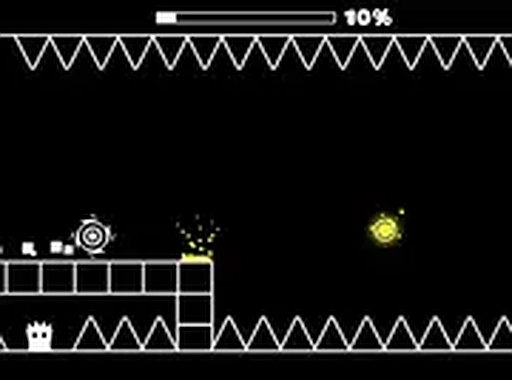
Timing Ball Platformer
Opens in a play window — no download required.
Reviews
Timing Ball Platformer keeps its scope tight: one ball, one tap action, and obstacle courses that reward rhythm over reflexes alone. The gradual difficulty curve makes it accessible to casual players, while the later speed increases give experienced players something to sharpen. Its browser-based, no-download format and full-screen support make it easy to fit into short breaks. The main limitation is that the game offers little beyond timing mastery, so players seeking varied mechanics or story may find it narrow.
Description
Core Timing Mechanic
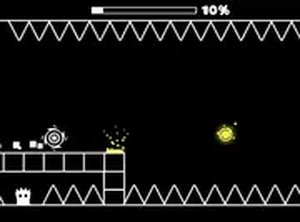
Timing Ball Platformer is built around a single, precise action: tapping the screen or clicking the mouse to make the ball jump or flip. Each tap must align with the rhythm of the level; a tap that lands too early or too late sends the ball into an obstacle. The challenge is not in learning many controls but in reading the pace of each course and reacting at the exact moment.
Level Progression and Pacing
Early levels introduce the basic timing window with slower obstacle patterns, giving players room to learn how the ball responds. As the game advances, obstacle speed and complexity increase, so the same tap action demands sharper focus. The shift is gradual, which keeps the difficulty curve approachable for newcomers while still pushing experienced players to refine their reaction time.
Platform and Session Design
The game runs directly in a browser with no download required, and it supports full-screen mode for a more focused view. Because levels are short and restart-friendly, it suits quick play sessions on either desktop or mobile. That pick-up-and-play structure means progress is measured in improved timing rather than long commitments.
Building Timing Consistency
Success comes from treating each level as a rhythm to follow, not a series of separate jumps. Practicing early stages builds muscle memory for when to tap. Staying calm as speed increases helps avoid panicked inputs. When stuck, watching the obstacle pattern before attempting again can reveal the correct tap points.
✅ Compatibility & Testing
FAQ
Comments
Sign in to leave a note
You must be logged in before posting a review or rating.
No comments yet. Be the first to comment!


Editorial Notes