Spot the Difference Puzzle Game
About
Brainrot-A-Difference Challenge offers a polished spot-the-difference experience with a unique Italian-themed brainrot aesthetic. The levels are well-designed, gradually increasing in difficulty to keep players engaged. The timer adds a nice pressure without ruining the fun. It works perfectly on mobile devices, making it a good choice for casual play during commutes. The game has good replay value as you can try to beat your own best times. Overall, it is a solid puzzle game that respects your time and attention.
Game Introduction
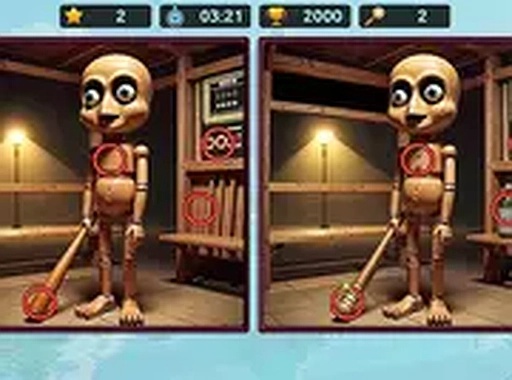
Brainrot-A-Difference Challenge is an engaging puzzle game that tests your observation skills. You are presented with two similar images, and your goal is to spot the subtle differences between them across various levels. Each pair of pictures challenges your focus, attention to detail, and visual memory. The game is perfect for puzzle lovers and anyone looking to sharpen their observation abilities.
How to Play
To play, simply look at the two images side by side. Use your mouse or touch screen to tap on the areas where you spot a difference. Each correct find earns you points and brings you closer to completing the level. Be quick, as a timer adds an extra layer of challenge. The game runs directly in your browser, so no downloads are needed. You can play on both desktop and mobile devices. For a more immersive experience, use the full screen mode.
Game Features
The game includes a fun brainrot theme, multiple challenging levels, timer-based gameplay, full screen mode, and a mobile-friendly design. Each level offers a new set of images to compare, keeping the experience fresh and engaging.
Tips for Success
To succeed, practice scanning the images systematically, such as from top to bottom or left to right. Pay close attention to small details like colors, shapes, and objects. Try to stay calm under the time pressure, and don't rush—accuracy matters as much as speed. Regular practice will improve your observation skills over time.
Compatibility:
✅ Works on PC & Mobile | Recommended: Chrome / Safari / Edge